
Introduction
This concise guide bundles everything an Expedition team needs: downloadable A0 print maps, layered GeoTIFFs, MBTiles, and curated GPX/KML/GeoJSON routes, plus practical checklists and passability-modeling tips. It’s written to help planners and field teams reduce uncertainty, protect sensitive sites, and run repeatable, safety-first trips.
- Executive summary — problem statement, objective, and product framing
- Why a dedicated Gobi map pack matters
- The product tiers
- How to choose the right pack — a decision tree
- Data architecture — what’s in the files and how they work together
- Recommended symbology and styling
- Curated GPX routes — description, use-case, and metadata schema
- Northern Loop — Steppe to Badlands
- Central Fossil Belt — research/permit required
- Southern Dunes & Flaming Cliffs approach
- How to use the downloadable GIS assets — operational steps
- A0 PDF
- GeoTIFF
- MBTiles
- GPX on Garmin
- GPX on a smartphone
- Modeling passability & seasonality
- Climate & weather — operational implications
- Flora, fauna, and conservation mapping
- Human history, cultures & fossil-ethics
- Survival & equipment
- Example operational workflow — how a team uses the Field Pro Pack for a 7-day trip
- Base towns & logistics — staging, repairs, and last-mile resupply
- Famous sites & photography
- Conservation mapping & fossil-ethics
- Passability and route update protocol
- Table: Quick comparison recap
- Pros & Cons
- Pros
- Cons
- FAQs
- Conclusion
Executive summary — problem statement, objective, and product framing
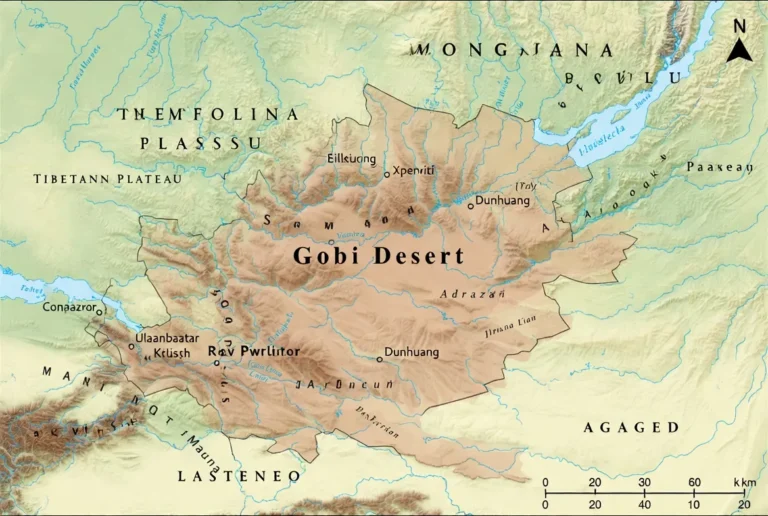
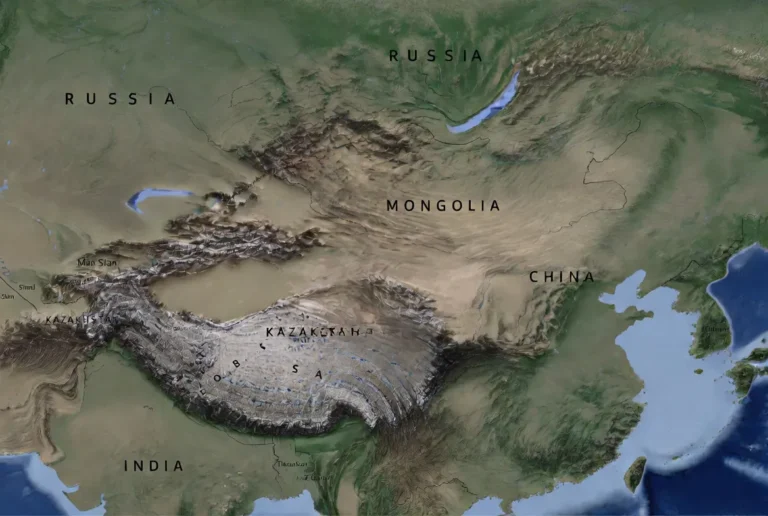
Problem statement (input): the Gobi is extensive (~1.29 million km² by common estimates), heterogeneous in surface type (gravel plains, badlands, dune pockets, salt pans), seasonally dynamic, and in many places thinly served by modern infrastructure. Typical online resources are narrative or fragmented; few give one downloadable, field-ready data stack that supports both large-format print planning and offline digital navigation.
Objective (output): produce a reusable map pack (A0 300-DPI PDFs + layered GeoTIFFs + MBTiles + curated GPX/KML/GeoJSON) plus an operations manual (this guide), so field teams can plan, validate, and execute trips with measurable safety margins and minimal environmental impact.
Approach (algorithm): treat spatial data as multi-channel inputs. Use DEM + hillshade as elevation features, satellite mosaics as spectral channels, track segments as sequential tokens, and waypoint metadata (resupply, seasonality, legal restrictions) as annotations. Validate your plan by running simple probabilistic checks (e.g., fuel sufficiency margins, travel time confidence intervals) before departure.
Why a dedicated Gobi map pack matters
From an information-design perspective, the Gobi is a high-variance domain: local conditions change rapidly, and small errors (bad route choice, underestimated fuel needs, disturbed fossil sites) have large consequences. A dedicated pack solves these issues by:
- Consolidating authoritative layers into a single, versioned download (reduces discovery friction).
- Providing printable A0 maps for planning and situational awareness at the vehicle/tent scale (big-picture planning is essential).
- Delivering MBTiles and vector GPX/KML/GeoJSON for device-agnostic offline navigation and for ingestion into mapping apps and GIS tools (operational interoperability).
- Including curated metadata (resupply, fuel caches, seasonal Passability flags, permit requirements) — these are the labels your human-in-the-loop system needs to make safe decisions.
If you think of a trip as a prediction pipeline — plan → execute → observe → update — a good map pack supplies both the features and the labels required to run a safe, iterative expedition.
The product tiers
Treat these as model configurations: lightweight demo, production-ready field model, and researcher-grade raw-data access.
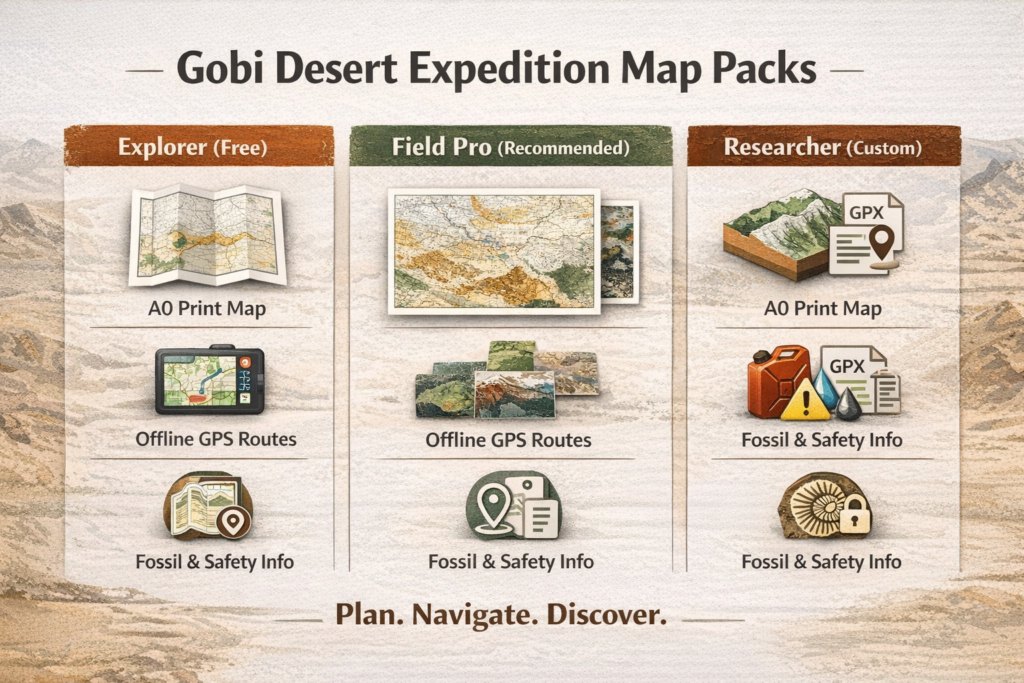
| Feature / Pack | Explorer (Free) | Field Pro (Recommended) | Researcher (Custom) |
| A0 print-ready PDF (300 DPI) | preview only | ✓ full high-res | ✓ custom layers |
| Layered GeoTIFFs | low-res | ✓ standard DEMs | ✓ full DEMs & mosaics |
| MBTiles (offline) | no | ✓ | ✓ |
| GPX/KML/GeoJSON routes | sample GPX | ✓ curated set + metadata | ✓ full set + metadata & sensitive layers (permissioned) |
| Publication license | no | standard | custom negotiable |
| Support & updates | community | 6 months | custom SLA |
| Intended user | casual planners | overlanders & expedition teams | museums, universities, institutions |
Design note: The Field Pro pack is the sweet spot for most users: it includes everything required to run a robust field mission while balancing download size and licensing complexity. Researcher packs are bespoke: they often include permissioned fossil-site coordinates and raw DEMs that require institutional agreements.
How to choose the right pack — a decision tree
- If you’re curious and just testing devices → Explorer (Free). Use the sample GPX to test device compatibility and to get a feel for map symbology.
- If you’ll be driving long distances or relying on offline maps → Field Pro (Recommended). You will want A0 prints, MBTiles, and curated route metadata (fuel, passability, seasonality).
- If you must publish, analyze, or research → Researcher Pack. Request raw DEMs, shapefiles, and permissioned layers. Expect a license and possibly an institutional agreement.
Data architecture — what’s in the files and how they work together
Think of each file type as a different representation of the same spatial phenomenon:
- A0 PDF (300 DPI) — high-resolution raster + vector layout optimized for print. Use for mission planning sessions, long-range route plotting, and as a laminated field sheet.
- Layered GeoTIFFs — each file is a channel: DEM, hillshade, satellite mosaic, protected-areas mask. In GIS software, you can combine these channels for custom styling and analysis.
- MBTiles — packaged tile sets for offline slippy-map use in apps. Fast to serve on devices and easy to swap.
- GPX / KML / GeoJSON — sequential tokens (tracks), nodes (waypoints), and attributes (resupply notes, difficulty, emergency coords). GeoJSON is ideal for web or analytic pipelines; GPX is device-compatible; KML integrates with Google Earth and some mapping suites.
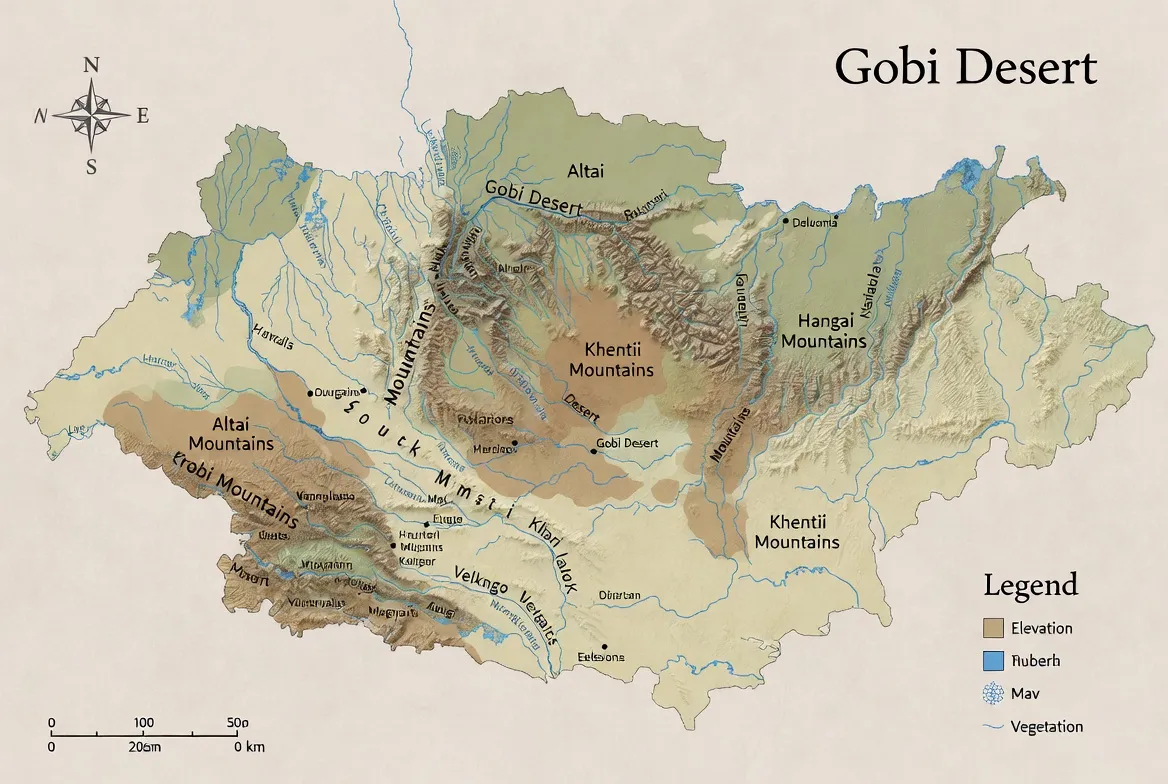
Recommended layer list (authoritative): administrative boundaries, elevation raster and 100 m contours, primary tracks, water points, seasonal lakes, vetted fuel points, protected areas, permissioned fossil-bearing polygons (if allowed), A0 tile extents, print grid.
Recommended symbology and styling
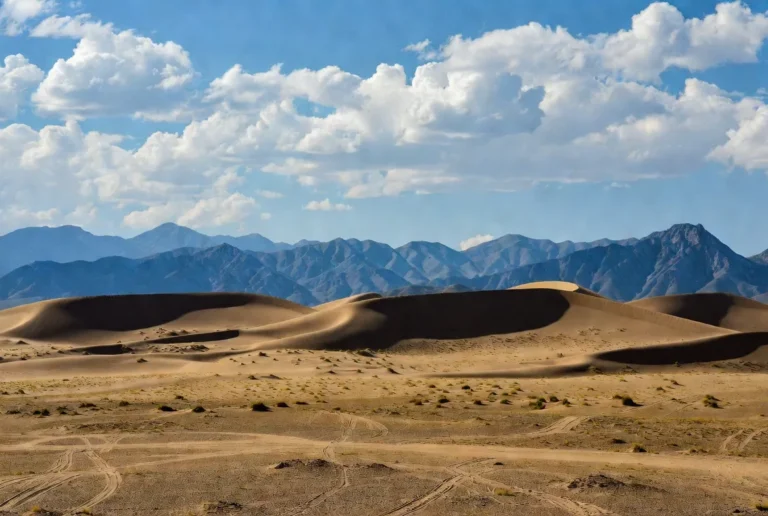
- Dunes — use a soft, hatched fill with “soft sand” passability flag. Mark dune corridors where vehicle handling may be required.
- Reg (gravel) plains — solid low-saturation fill; note higher mean travel speed.
- Badlands & cliffs — hatching + exposed strata silhouette; mark fossil sensitivity.
- Salt pans/playas — high-friction warning icon; label as “seasonally impassable.”
- Tracks — primary (solid), secondary (dashed), seasonal (dot-dash). Add confidence layers to show last-verified dates.
- Water points — green circle + last-verified date string.
When producing print outputs, combine hillshade (semi-opaque) with a color ramp for elevation and use distinct symbol sets for dune vs reg surfaces. Include a print margin with a scale bar, north arrow, and A0 tile boundaries.
Curated GPX routes — description, use-case, and metadata schema
Each curated GPX is treated like a labeled sequence: the track is the token sequence, and waypoints are labeled annotations (resupply, emergency, difficulty, seasonal passability). Files are packaged as ZIPs with a README that explains device import steps and lists MD5 checksums.
Northern Loop — Steppe to Badlands
- Duration: 4–6 days by 4×4 (moderate).
- Highlights: open plateaus, seasonal lakes, nomad ger camps.
- Who it’s for: overlanders desiring quiet scenery and predictable tracks.
- Metadata: fuel points (sparse), waypoints with last-verified dates, alternate bypasses for impassable washes.
Central Fossil Belt — research/permit required
- Highlights: badlands, exposed fossil beds, canyon outcrops.
- Who it’s for: trained researchers and guided tours with permits.
- Metadata: permit requirements, contact points for regional museums, protected buffers (sensitive coordinates are permissioned and redacted in public packs).
Southern Dunes & Flaming Cliffs approach
- Highlights: dune fields, dramatic sunset viewpoints, red sandstone escarpments.
- Who it’s for: photographers, fossil-history enthusiasts, and experienced drivers.
- Notes: dune sections can require reduced tire pressure and careful vehicle technique; include walking sections in route modeling.
GPX file contents
- <trk>: track segments with timestamps (where available).
- <wpt>: labeled waypoints (fuel, water, camp, permit_station, medical, town).
- Attributes: difficulty, seasonality, last_verified, notes, emergency_contact.
How to use the downloadable GIS assets — operational steps
A0 PDF
- Open in a robust PDF viewer (e.g., Acrobat).
- Ensure print is set to Actual size.
- Select A0 paper and 300 DPI.
- Choose durable paper stock or laminate for field durability.
- Print two copies: one for the vehicle, one for the planning tent.
GeoTIFF
- Open QGIS (or other GIS).
- Load DEM, then create hillshade (light azimuth, moderate z-factor).
- Add contour intervals at 100 m.
- Style with semi-transparent ramps for elevation and a separate symbol set for landform types.
- Export cleaned PNGs for use as overlays or for smaller prints.
MBTiles
- Transfer MBTiles to the device (via USB, SD card, or cloud).
- Open in OsmAnd, QField, and MAPS.ME, or another offline-capable app.
- Verify the app recognizes the tile pack and is set to offline mode.
GPX on Garmin
- Connect the Garmin to your PC.
- Drop GPX into /Garmin/GPX/.
- Safely eject and verify that the unit displays the tracks.
GPX on a smartphone
- Import GPX into OsmAnd / maps.me / Gaia / Locus.
- Verify waypoints and emergency coordinates.
- Test a short routing leg before leaving town.
Modeling passability & seasonality
One of the most useful things you can do is create a simple passability model for each route segment.
- Inputs: historical satellite-derived wetness flags, seasonal precipitation trends, local weather forecast, last-verified waypoint dates, elevation, and slope from DEM.
- Output: passability probability (e.g., 0–100%) for each segment and a recommended confidence margin (e.g., +20% fuel).
- Method: for a quick heuristic, weight recent in-situ verifications highest (last-verified within 6 months = +30% confidence), seasonal records next, and weather forecastsas last-minute checks as modifiers. If the passability probability is < 65% for a critical segment, select an alternate bypass or delay.
Document your assumptions and store verification timestamps in the GPX last_verified attribute so the next team can retrain the “model” with new labels.
Climate & weather — operational implications
Treat weather like a stochastic variable that affects travel-time estimations and vehicle mechanics.
- Winters: can drop below −30 °C in basins. Be ready for snow and frozen ground; low temperatures affect battery performance and fuel flow.
- Summers: daytime highs can exceed 35–40 °C; strong insolation increases water requirements and can stress cooling systems.
- Precipitation: generally low but highly localized. Even a single heavy rain can render salt pans impassable.
- Winds & dust: dust storms decrease visibility and clog filters; model dust frequency by month and build an additional margin for any high-wind segment.
Operational rule: always include both a short-term forecast check (48–72 hours) and a seasonality check (monthly climatology) when validating your itinerary.
Flora, fauna, and conservation mapping
- Flora: saxaul and drought-hardy shrubs on fringes, salt-tolerant halophytes near playas, steppe grasses in transitional zones.
- Fauna: wild camels (in some regions), argali, Mongolian gazelle migration corridors, snow leopard in high rocky outcrops, raptors, and migratory birds near seasonal lakes.
Mapping & ethics: always overlay protected areas and migration corridors as separate toggles. Do not publish precise coordinates for sensitive wildlife or fossil locations in public packs — provide permissioned access for researchers under agreement.
Human history, cultures & fossil-ethics
The Gobi has a deep human history, and nomadic pastoralists still traverse these lands. Fossil discoveries are of global scientific importance; many sites are protected. Treat fossil coordinates as highly sensitive personal data that requires governance.
If you find a fossil: photograph it in place with a scale bar, note GPS coordinates, document the context, and report to the nearest official body or museum. Do not remove fossils — unauthorized collection is illegal and harms science.
Data governance: store sensitive layers with access controls, provide redactions in public outputs, and track data-sharing agreements with researchers or institutions.
Survival & equipment
Approach survival planning as setting hard constraints for your route-planning optimizer.
Vehicle & recovery
- 4×4 with high clearance.
- Recovery gear: tow ropes, shackles, traction boards.
- Spare tires (at least two), essential spares, and a robust roof rack.
- Shovel, jack, basic welding/repair kit.
Fuel & water
- Carry +20–50% spare fuel margin relative to estimated consumption.
- Carry abundant potable water; manufacture a conservative water budget per person per day, and add contingency.
Navigation & communications
- Printed A0 planning maps + MBTiles on primary device and backup tablet/phone.
- Satellite messenger or PLB (personal locator beacon) — required in many remote ops.
- Paper map and compass as redundancy.
Emergency
- Trauma-ready first aid kit, medication, suture kit if trained.
- Fire extinguisher, basic repair tools, and spares.
- Emergency contact list and nearest towns with medical capacity.
Example operational workflow — how a team uses the Field Pro Pack for a 7-day trip
Before the trip
- Print two A0 planning maps (vehicle and tent).
- Load MBTiles and GPX into primary and backup devices.
- Print a one-page emergency map with major waypoints and alternative exits.
- Verify satellite comms and test PLB or satellite messenger.
During the trip
- Use A0 maps during morning planning to allocate daily legs and check passability flags.
- Use GPX tracks for in-field navigation, but confirm with visual cues anda printed map.
- Log any waypoint changes and photograph key waypoints with timestamps.
After the trip
- Upload non-sensitive corrections and verified waypoints to the map provider to improve future packs.
- Provide feedback on resupply points and newly discovered hazards.
Base towns & logistics — staging, repairs, and last-mile resupply
Regional staging is a key part of any robust plan. For many southern expeditions, a regional service town functions as the last major hub for fuel, mechanics, and permits.
Primary tasks in base towns
- Refill fuel and water.
- Test communications (confirm satellite devices and SIMs).
- Check for local weather advisories and road closures.
- Hire local guides when visiting protected fossil outcrops or remote areas with variable permits.
Operational note: always confirm fuel quality and availability; carry filtration spares and fuel stabilizers where appropriate.
Famous sites & photography
Major sites like the red sandstone escarpments, often called the Flaming Cliffs, are world-famous for fossils and dramatic color at sunset. Visit with a licensed guide if required and respect local rules.
Shot-list tips
- Golden hour: aim for 45–90 minutes before sunset forthe best color.
- Use a human scale (a person or vehicle) to convey magnitude.
- For fossils: photograph in situ without disturbing deposits.
Conservation mapping & fossil-ethics
- Sensitive coordinates: treat as restricted; provide generalized polygons publicly and exact points only under institutional agreement.
- Field practice: do not create new tracks; always use existing roads to avoid damaging cryptobiotic soils.
- If you find a fossil: photograph, geo-tag, and report. Leave the specimen in situ.
Passability and route update protocol
Establish a simple protocol for field teams to report changes:
- Verify altered segments with photos and time-stamped GPS points.
- Upload sanitized reports to the provider portal.
- The provider validates (triangulates multiple reports or checks satellite imagery) before updating public packs.
- Version the pack and publish an update log with MD5 checksums.
Table: Quick comparison recap
| Use case | Best pack | Why |
| Casual planning | Explorer (Free) | Quick preview, low download size |
| Overlanding & safety | Field Pro | A0 print-ready, MBTiles, full GPX set |
| Academic research | Researcher Pack | Raw DEMs, permissioned data, custom license |
Pros & Cons
Pros
- One consolidated data stack for both paper and digital navigation.
- Field-tested GPX with resupply and passability metadata.
- High-resolution A0 print outputs for operational planning.
- Conservation and fossil-ethics guidance included.
Cons
- Sensitive fossil data is restricted and requires permits.
- High-res file sizes demand robust hosting and download plans.
- Seasonal passability needs local, recent verification — data can age.
FAQs
A: No. Much of the region is stony plains and rocky badlands. Dunes occur but are often isolated.
A: Late spring to early autumn is common. Avoid peak winter unless you have winter gear and experience. Check seasonal weather for high-elevation passes.
A: No. Many fossil sites are protected. Photograph fossils and report them to authorities. Unauthorized collection is illegal and harms science.
A: Import the GPX into Garmin or smartphone apps (OsmAnd, maps.me) or load them into QGIS for planning. Each GPX includes a README with device-specific steps.
Conclusion
Use the Field Pro pack as your operational baseline: print the A0 maps, load MBTiles and GPX to primary and backup devices, and verify passability before each leg. Keep sensitive fossil and wildlife coordinates permissioned, log Verifications after the trip, and share non-sensitive updates to improve future packs.