
Introduction
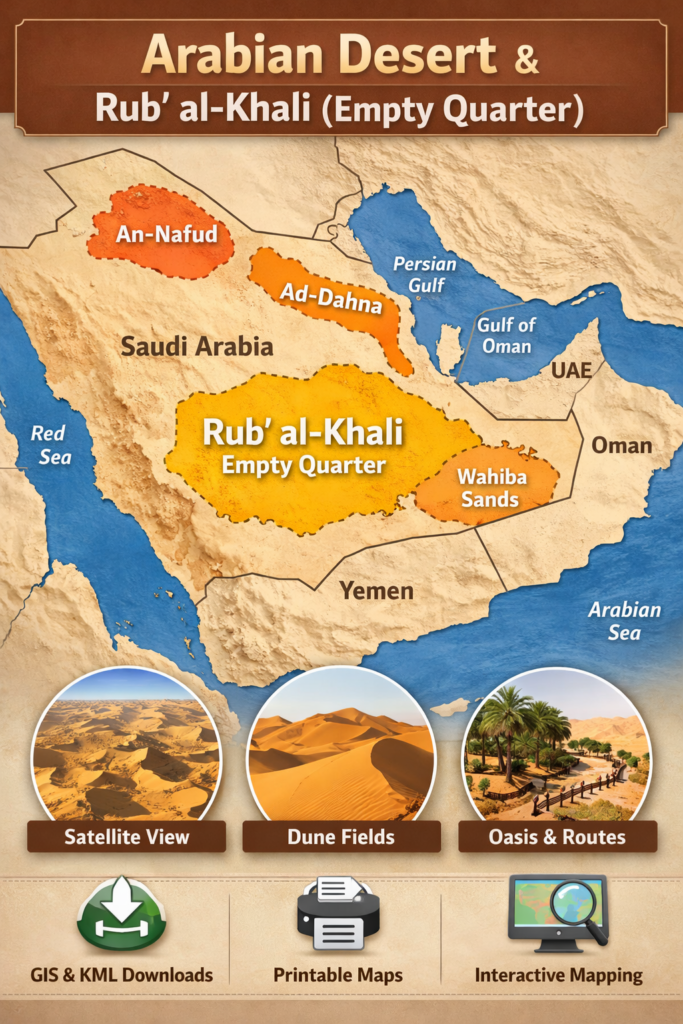
This page is a concise blueprint for an interactive Arabian Desert map that combines clear storytelling with machine-readable downloads (SVG, GeoJSON, KML, PDF) and satellite/DEM overlays. It gives researchers, educators, journalists and travellers preset anchors (Rubʿ al-Khali, An-Nafud, Ad-Dahna, Wahiba), layered metadata, and downloadable assets so users can explore, embed, and reuse authoritative map data with provenance.
- Quick facts: Arabian Desert at a glance
- What this map page must accomplish
- Design specification — interactive map features & UX
- Base layers
- Toggleable overlays
- UX features
- Files to offer for download — what and why
- Minimum dataset package
- Packaging & metadata
- License guidance
- Suggested downloadable filenames & examples
- Key regions — short map anchors
- Rub’ al-Khali
- An-Nafud
- Ad-Dahna
- Wahiba / Sharqiya Sands
- Satellite & DEM overlays — a quick how-to for non-GIS users
- Satellite imagery
- DEM (SRTM / ASTER) + Hillshade
- How to interpret dune features
- How to read desert maps
- Who benefits — use cases and examples
- Flora, fauna & human history — map layers that matter
- Flora layers
- Fauna layers
- Human history & culture, ancient caravan routes, archaeological site points (public datasets only), Bedouin seasonal use areas.
- Survival tips & map safety for field teams and travellers
- Before you go
- Essentials to carry
- On the ground
- Tourism & permits — map features for visitors
- Top activities to map
- Map additions to include
- Environmental concerns & conservation mapping
- Threats to the map
- Conservation mapping features
- Pros & cons for building this map page
- Pros
- Cons
- Implementation checklist — technical & editorial
- Technical
- Editorial
- FAQs
- Outreach & long-term maintenance
- Initial launch checklist
- Maintenance
- Practical developer appendix — code snippets & server tips
- Vector tile strategy
- Server clip download flow
- Performance tips
- Conclusion
Quick facts: Arabian Desert at a glance
- Total area (Arabian Desert): ≈ 2,330,000 km² (≈ 900,000 sq mi).
- Largest sub-erg — Rub’ al-Khali (Empty Quarter): ≈ 650,000 km².
- Typical dune height: Star dunes locally up to 200–250 m.
- Countries (fully or partly): Saudi Arabia, Oman, Yemen, UAE, Qatar, Kuwait, Jordan, Iraq (definitions sometimes include parts of Iran or Sinai).
- Climate snapshot: Hyper-arid cores; mean annual precipitation often <35 mm; summertime highs commonly exceed 45–50 °C in basins.
What this map page must accomplish
A strong map page does three strategic things:
- Answer immediate search intent. Searchers ask, “Where is the Empty Quarter?” or “Rub’ al-Khali map” — a preset zoom and highlighted polygon answer that instantly.
- Serve long-tail, technical intent. Developers, researchers and educators ask for GeoJSON, KML, SVG and DEMs. Providing those downloads captures niche traffic and earns links.
- Be authoritative and embeddable. Journalists and teachers want easy embeds, A0 posters, and clear attribution; giving those resources makes the page linkable.
Many existing pages supply photos or descriptive text but lack layered downloads and machine-readable assets. That’s the gap: an interactive, layered map with open downloads, clear provenance, and teacher/media resources.
Design specification — interactive map features & UX
Base layers
Offer multiple base layers switched by the user:
- Political / roads base (low-visual noise, for orientation).
- Satellite imagery (Sentinel-2 / Landsat) for dune Morphology.
- Relief / hillshade (SRTM / ASTER DEM) to reveal dune slopes and topographic cues.
- Light cartographic base for clarity when overlaying vector dune fields.
Toggleable overlays
Each overlay must include a metadata panel listing source, date, and license:
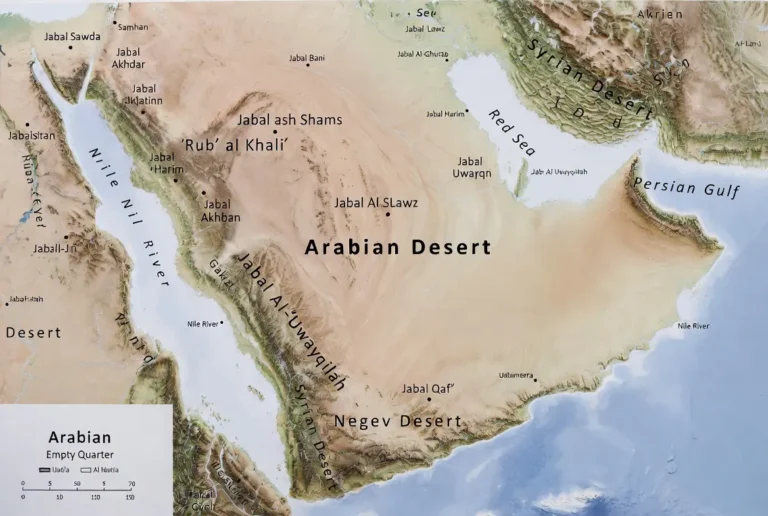
- Desert extents: Arabian Desert extents, Rub’ al-Khali polygon, An-Nafud, Ad-Dahna, Wahiba/Sharqiya.
- Dune fields & morphology: vector or raster classifications (star vs linear vs crescentic dunes).
- Oases & permanent water points.
- Protected areas/reserves (with WDPA IDs where possible).
- Major wadis & historic caravan routes.
- Tourist tracks / permitted camping zones (Wahiba).
- Resource blocks (oil/gas) — only if public and clearly labelled with provenance.
UX features
- Preset zoom buttons: “Overview”, “Rub’ al-Khali”, “Wahiba Sands”, “An-Nafud”.
- Layer legend & metadata panel (source, creation date, confidence).
- Download current view (export as GeoJSON, KML, SVG, PNG).
Permalink/sharee view for journalists and social sharing. - Scale bar & coordinate readout (latitude/longitude).
- Accessibility: keyboard navigation, high-contrast fonts, readable labels.
- Mobile responsiveness: collapsible layer controls on small screens.
- Performance: lazy-load satellite tiles, preload vector tiles for immediate overlays.
Why these choices: they reduce friction, increase time on page (good for SEO), and make the map useful to a broader audience.
Files to offer for download — what and why
Users expect options and provenance. Provide clear filenames, license text, and checksums.
Minimum dataset package
- Printable poster PDF / PNG (A0 / A1) — for classrooms and press (provide hi-res and web-preview).
- SVG (labelled layers) — designers want editable vector layers (text as separate groups).
- GeoJSON (polygons & lines) — developers & GIS users. Provide both full and tiled chunked versions for the web.
- KML / KMZ — Google Earth users and non-GIS audiences.
- Raster hillshade PNGs — non-GIS viewers and quick previews.
- Teacher bundle: A0 poster + SVG + lesson plan PDF + short quiz.
Packaging & metadata
- README.txt for each download listing sources and date.
- LICENSE.txt with recommended license (e.g., CC BY-NC for public use + paid commercial licensing options).
- MD5 checksums and file sizes.
- Preview thumbnails (small, fast) for each large download.
License guidance
- Base imagery: Sentinel-2 (ESA) / Landsat (USGS/NASA) — free with attribution.
- DEM: SRTM / ASTER — free but check use terms.
- Protected areas: WDPA — check redistribution rules.
- Administrative boundaries: Natural Earth (public domain) or GADM (redistribution rules apply).
Always include provenance and, where possible, date of capture (very important for satellite imagery).
Suggested downloadable filenames & examples
- arabian_desert_extents_v1_2026.geojson
- rub_al_khali_polygon_v1_2026.kml
- arabian_desert_poster_a0_300dpi.pdf
- rub_al_khali_hillshade_10m_tiles.zip
- wahiba_sands_svg_layers_v1.svg
Use semantic filenames and include versioning and date for reproducibility.
Key regions — short map anchors
Embed preset anchors so users can jump directly to the area of interest. Each anchor includes a short paragraph and the map preset.
Rub’ al-Khali
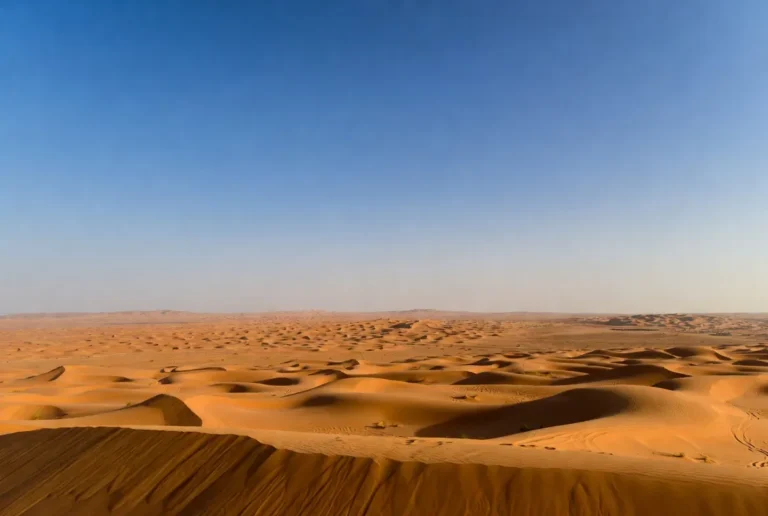
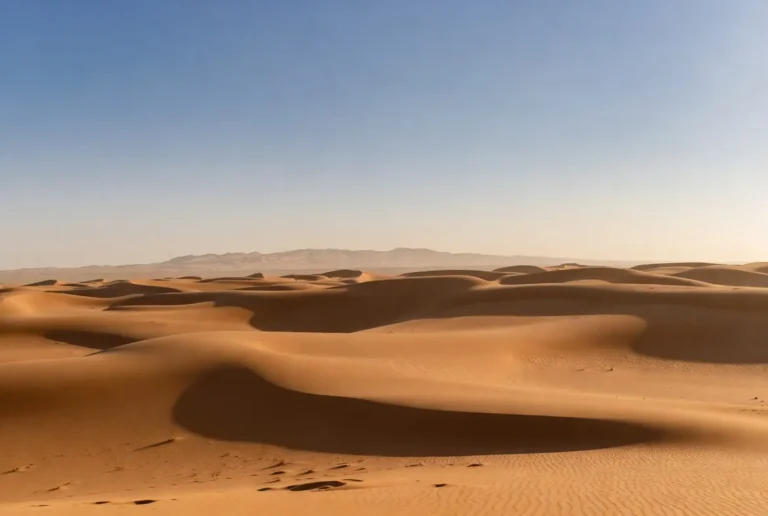
Overview: The largest continuous sand sea on Earth (≈650,000 km²). Best visualised with a satellite layer at medium zoom plus a dune morphology overlay (star dunes).
Map layers to show: Rub’ al-Khali polygon, dune morphology classification, hillshade, known salt pans and sabkhas.
Preset: Zoom level and bounding box that frames the full erg and places neighbouring features in context.
An-Nafud
Overview: Northern red dune field characterised by linear and crescentic dunes.
Map layers to show: dune stripes, historic trade/caravan routes, archaeological points of interest.
User note: include a “historic routes” overlay for educators and archaeologists.
Ad-Dahna
Overview: A narrow corridor linking An-Nafud and Rub’ al-Khali.
Map layers to show: corridor polygon, transit trails, and geology transitions. Include a focused inset map showing the corridor role connecting larger ergs.
Wahiba / Sharqiya Sands
Overview: Travel-friendly dunes with established camps and 4×4 tracks.
Map layers to show: permitted camps, licensed operator contact points, 4×4 tracks, safety advisories, and preset tourist routes.
Satellite & DEM overlays — a quick how-to for non-GIS users
Satellite imagery
- Why: reveals dune alignment, sabkhas, and seasonal changes.
- Quick tip: use false-color composites (SWIR/NIR/NIR) to isolate moisture and sabkhas; use near-infrared to highlight sparse vegetation.
- Practical: provide pre-stitched tiles (XYZ raster tiles) and allow toggling between Sentinel-2 and Landsat basemaps.
DEM (SRTM / ASTER) + Hillshade
- Why: hillshade emphasises dune relief and slope, aiding interpretation and navigation.
- Web tip: precompute hillshade tiles at multiple zoom levels and serve them as PNG overlays to keep the client fast.
How to interpret dune features
- Star dunes: radiating arms; radial shadowing when the sun angle is low.
- Linear dunes: long parallel ridges, often visible in SAR or low-sun satellite images.
- Sabkhas/salt pans: bright patches in false-colour composites; flat and seasonal.
Provide a short visual legend and example images to teach users how to read these overlays.
How to read desert maps
- Projection: Use EPSG:3857 for web slippy maps; offer EPSG:4326 (WGS84) for downloads and GIS users. Explain simple reprojection steps for non-GIS users.
- Scale & LOD: Provide a dynamic scale bar that updates with zoom. Dune fields are vast — include zoom presets that make sense for both overview and field planning.
- Legend & metadata: every overlay must display source + date + confidence statement (e.g., “dune classification derived from Sentinel-2, date: 2022–2025; confidence: medium”).
Who benefits — use cases and examples
- Researchers: run dune migration analyses using GeoJSON + DEMs.
- Educators: print A0 posters, use SVG for classroom diagrams, run quizzes and lessons.
- Travellers & tour operators: consult permitted routes, camps and safety notes.
Journalists/press: use embeddable iframe and media-ready PNGs. - Developers/app builders: use vector tiles and API endpoints for custom apps.
Real examples: a university researcher downloads GeoJSON and SRTM tiles for a dune change model; a travel writer shares a permalink of a star dune for an article; a teacher prints an A0 poster for class.
Flora, fauna & human history — map layers that matter
Flora layers
- sabkhas (salt pans), oasis polygons, irrigated settlements, and transitional shrub zones.
Fauna layers
- key conservation areas, Arabian oryx reintroduction sites, migratory stopovers, and ranger stations.
Human history & culture, ancient caravan routes, archaeological site points (public datasets only), Bedouin seasonal use areas.
Ethics: map culturally sensitive or archaeological coordinates with caution and, when in doubt, withhold precise locations to prevent looting.
Survival tips & map safety for field teams and travellers
Before you go
- Check permits and protected area rules.
- Share your route and return time with local authorities.
Essentials to carry
- Reliable 4×4, recovery gear, additional fuel.
- GPS and paper map backup.
- Water: >5–8 litres per person per day in hot months.
- Satellite phone or PLB.
On the ground
- Avoid dune slipfaces and steep dunes.
- Use hillshade to choose interdune corridors.
- Download offline tiles or GeoJSON features before entering no-coverage zones.
Add a “field mode” to the map that offers offline tile packages, simplified legend, and distilled safety advisories.
Tourism & permits — map features for visitors
Top activities to map
- Guided dune safaris, overnight camps, photography points (star dunes), oasis visits, heritage trails.
Map additions to include
- Best months (late autumn–early spring).
- Licensed operators (contact info) — with a note to verify.
- Permit zones and ranger contacts.
Respect: Encourage visitors to follow protected area rules and not remove natural materials.
Environmental concerns & conservation mapping
Threats to the map
- feral camels and overgrazing, off-road driving causing vegetation damage, and infrastructure fragmentation.
Conservation mapping features
- conservation mode (highlight reserves & ranger stations), displays reintroduction sites (e.g., oryx) and restoration efforts.
Provide links to NGOs and government resources and include a “report damage” feature to collect crowdsourced observations (moderated).
Pros & cons for building this map page
Pros
- High user value across audiences.
- Long-tail SEO potential (e.g., “download Arabian Desert GeoJSON”).
- Linkable dataset attracts journalists and academic citations.
Cons
- Higher dev & hosting costs for vector tiles and large downloads.
- Licensing complexity — careful provenance and permission checking required.
- Maintenance overhead — protected area boundaries and operator data change.
Implementation checklist — technical & editorial
Technical
- Choose stack: Mapbox / MapLibre + vector tile server.
- Precompute hillshade and low-res previews (optimise LCP).
- Provide GeoJSON API endpoints and “download current view”.
- Serve large downloads via CDN; add MD5 checksums.
- Implement Dataset JSON-LD for each downloadable file; add BreadcrumbList + WebPage schema.
Editorial
- Write a 2,500–3,500-word main article (this is your pillar).
- Produce 4 ready downloads: A0 PNG, SVG, GeoJSON, KML + teacher bundle.
- Add clear provenance and short attribution for each download.
- Prepare outreach list: geography departments, teacher resource sites, travel journalists.
FAQs
A1: Yes. We provide a curated GeoJSON with desert extents, dune fields, and key wadis. Each download includes attribution and a license. Use the GeoJSON in web maps or convert it to other formats with tools like ogr2ogr.
A2: The Empty Quarter covers roughly 650,000 km², spanning Saudi Arabia, Oman, the UAE and Yemen. We include a Rub’ al-Khali preset on the interactive map so users can jump straight to it.
A3: Boundaries are satellite-derived and synthesised from multiple references. They are approximate and suitable for educational, planning and non-legal use. For legal resource planning, consult national authorities.
A4: Yes. We offer a light iframe embed and a small JS widget for apps. The embed has sharing and attribution built in — just follow the embed usage terms and include required attribution.
Outreach & long-term maintenance
Initial launch checklist
- Publish the interactive map above the fold.
- Offer four primary downloads (A0 poster, SVG, GeoJSON, KML) with README and LICENSE.
- Add Dataset JSON-LD and BreadcrumbList.
- Create a teacher bundle and media kit.
Maintenance
- Schedule quarterly checks for layer currency (protected areas, operator contacts).
- Version every dataset release (e.g., _v1_2026).
- Monitor page traffic, backlinks, and dataset downloads; iterate on outreach lists.
Practical developer appendix — code snippets & server tips
Vector tile strategy
- Generate vector tiles (MBTiles) using Tippecanoe for large polygon sets; serve via TileServer GL or MapLibre approach.
- Precompute hillshade PNG tiles at 2–3 zoom levels for quick interaction.
Server clip download flow
- client sends current bbox + layers selected;
- server queries PostGIS with bbox & layer filters;
- server zips results (GeoJSON + README + LICENSE) and returns signed URL via CDN.
Performance tips
- Serve large downloads via S3 + CloudFront or equivalent CDN.
- Use gzipped GeoJSON or vector tile format (PBF) for web performance.
- Provide a low-res poster preview as an LCP element.
Conclusion
A map-first pillar page that pairs a fast, accessible Interactive viewer with versioned downloads and clear licensing will deliver high user value and long-tail SEO. If you’d like, tell me which asset to produce first (A0 poster, GeoJSON/KML, SVG layers, or a demo JS embed), and I’ll prepare it.
Caption:
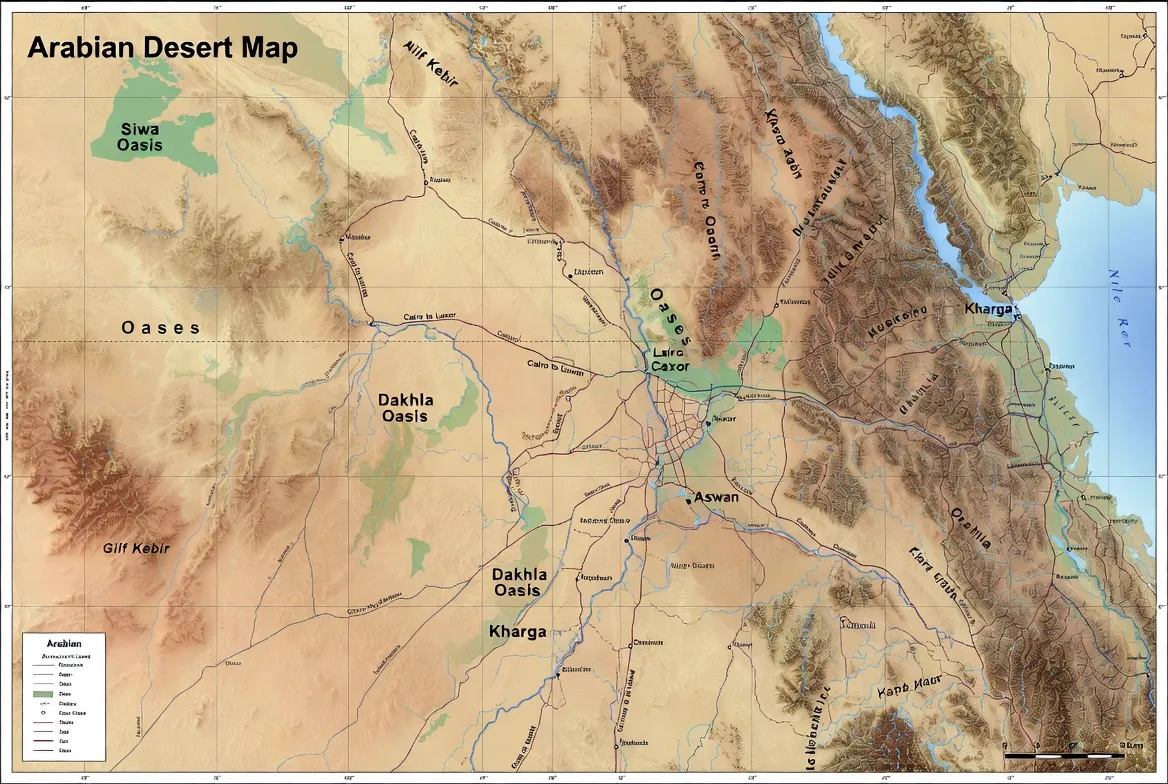
“Interactive Arabian Desert map showing the Rub’ al-Khali (Empty Quarter), Wahiba Sands, An-Nafud, and major desert regions.”