
Your gaming environment affects your performance and enjoyment just as much as the hardware you use. A thoughtfully designed space reduces physical strain, minimizes distractions, and makes long sessions feel far more sustainable. You don’t need a dedicated room or a large budget — just intentional choices about layout, comfort, and ambiance.
- Prioritize Ergonomics
- Get Your Seating Height Right
- Position Your Screen at Eye Level
- Support Your Wrists and Posture
- Optimize Lighting
- Reduce Screen Glare
- Use Bias Lighting
- Avoid Total Darkness
- Manage Sound and Distractions
- Invest in Quality Audio
- Minimize Background Noise
- Keep Notifications in Check
- Organize for Function
- Manage Cables Thoughtfully
- Keep Essentials Within Reach
- Personalize Without Overcomplicating
- Add Elements That Improve Focus
- Keep It Adaptable
- Final Thoughts
Prioritize Ergonomics
Get Your Seating Height Right
Your chair and desk height should allow your feet to rest flat on the floor with your knees at roughly a 90-degree angle. Sitting too high or too low over time contributes to back and neck strain, especially during extended sessions.
Position Your Screen at Eye Level
The top of your monitor should sit roughly at eye level, about an arm’s length away. Looking up or down for long periods puts unnecessary strain on your neck — a simple monitor stand or adjustable arm can make a noticeable difference.
Support Your Wrists and Posture
Wrist rests for keyboards and mice, combined with a chair that supports your lower back, help prevent the kind of repetitive strain that builds up gradually and often goes unnoticed until it becomes uncomfortable.
Optimize Lighting
Reduce Screen Glare
Position your setup so windows or overhead lights don’t reflect directly onto your screen. Glare not only strains your eyes but can also affect your ability to see details clearly during fast-paced gameplay.
Use Bias Lighting
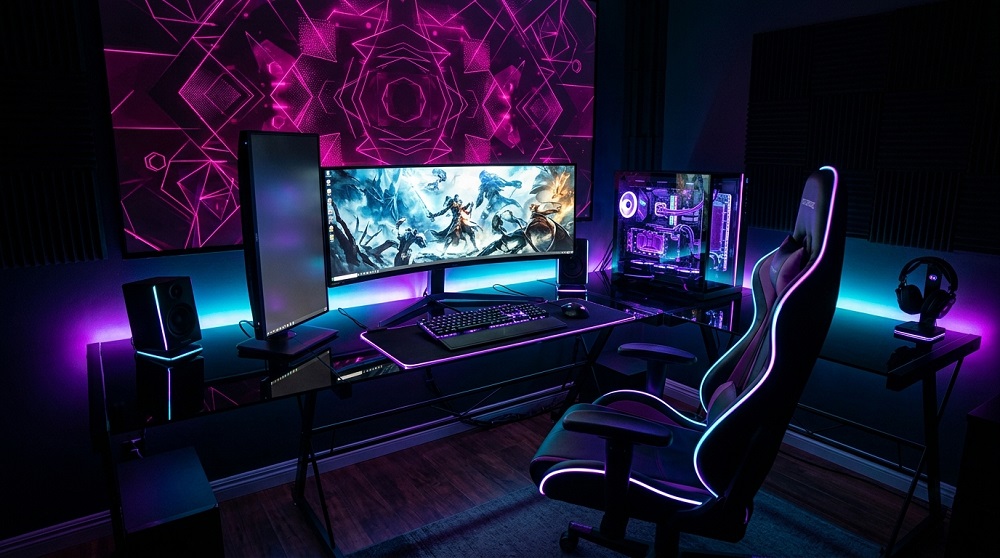
A soft light behind your monitor — often called bias lighting — reduces eye strain by softening the contrast between a bright screen and a dark room. This is a small, inexpensive addition that makes noticeable difference during long or nighttime sessions.
Avoid Total Darkness
While a dim room can improve screen visibility, playing in complete darkness for extended periods increases eye fatigue. A balanced, softly lit room tends to be more comfortable over time than either extreme.
Manage Sound and Distractions
Invest in Quality Audio
Good headphones or speakers do more than improve immersion — in many competitive games, audio cues genuinely affect performance. Comfortable, well-fitted headphones also reduce fatigue during long sessions compared to poorly fitted alternatives.
Minimize Background Noise
If you share your space with others, consider noise-dampening elements like a rug, curtains, or acoustic panels, which can meaningfully reduce distracting echo or ambient noise without requiring major renovations.
Keep Notifications in Check
Silencing unrelated notifications during focused sessions — whether from your phone or other apps — helps maintain concentration, particularly during competitive or story-driven moments where distraction breaks immersion.
Organize for Function
Manage Cables Thoughtfully
Tangled cables aren’t just an eyesore — they can create tripping hazards and make troubleshooting harder when something stops working. Cable clips, sleeves, or a simple under-desk tray keep things tidy and accessible.
Keep Essentials Within Reach
A small shelf or drawer near your setup for chargers, snacks, or spare peripherals prevents unnecessary interruptions mid-session, especially during longer gaming stretches.
Personalize Without Overcomplicating
Add Elements That Improve Focus
Some players find that subtle personal touches — favorite game art, a comfortable blanket, ambient lighting colors — genuinely improve the experience by making the space feel inviting rather than purely functional.
Keep It Adaptable
As your setup or interests evolve, your space should be easy to adjust rather than locked into one configuration. Modular furniture and flexible cable management make future changes far less of a hassle.
Final Thoughts
A comfortable, well-organized gaming space isn’t just about aesthetics — it directly supports better posture, sharper focus, and longer, more enjoyable sessions. Small, thoughtful adjustments to seating, lighting, and organization often make a bigger difference than any single piece of expensive equipment.