Introduction
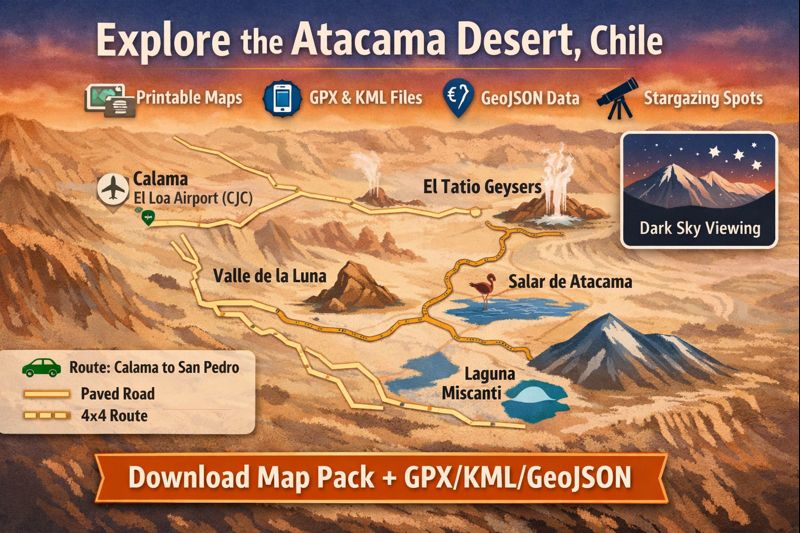
A compact, traveler-Focused map guide for Chile’s Atacama: interactive layers plus printable maps and machine-readable files (GPX/KML/GeoJSON) to plan safe, offline-ready 1–7 day itineraries from Calama to San Pedro.
At a glance — where the Atacama is and how big it is
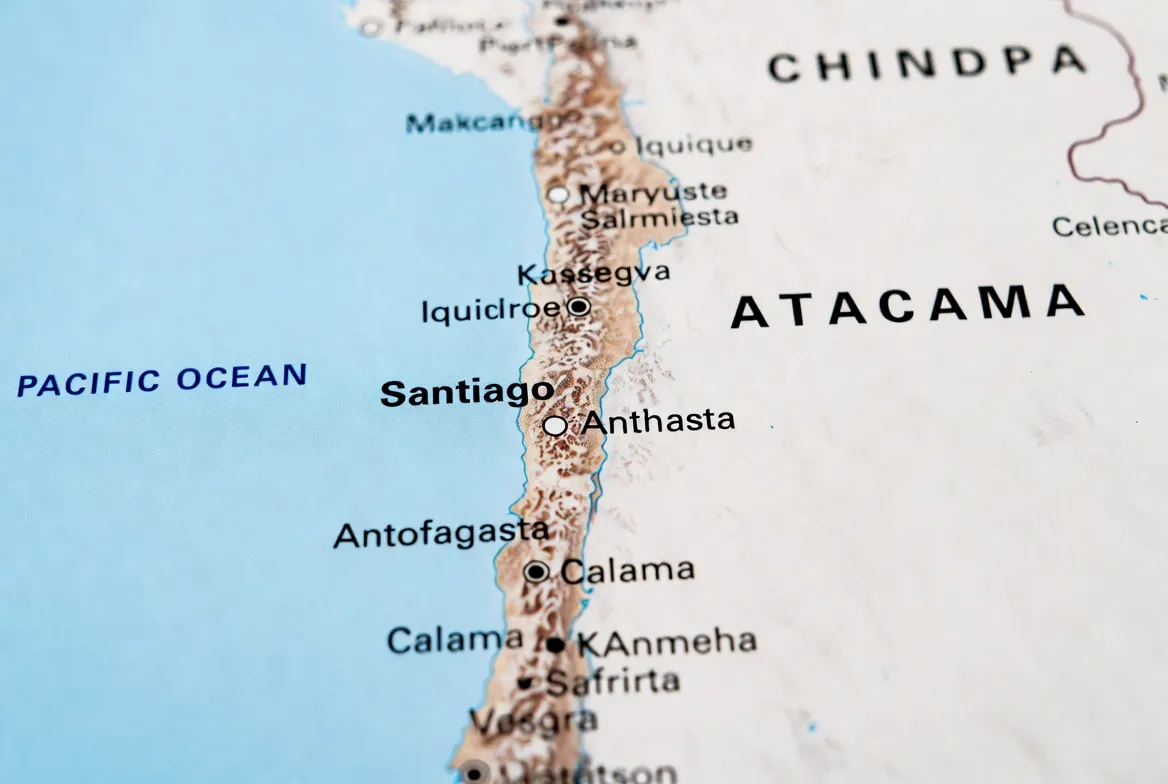
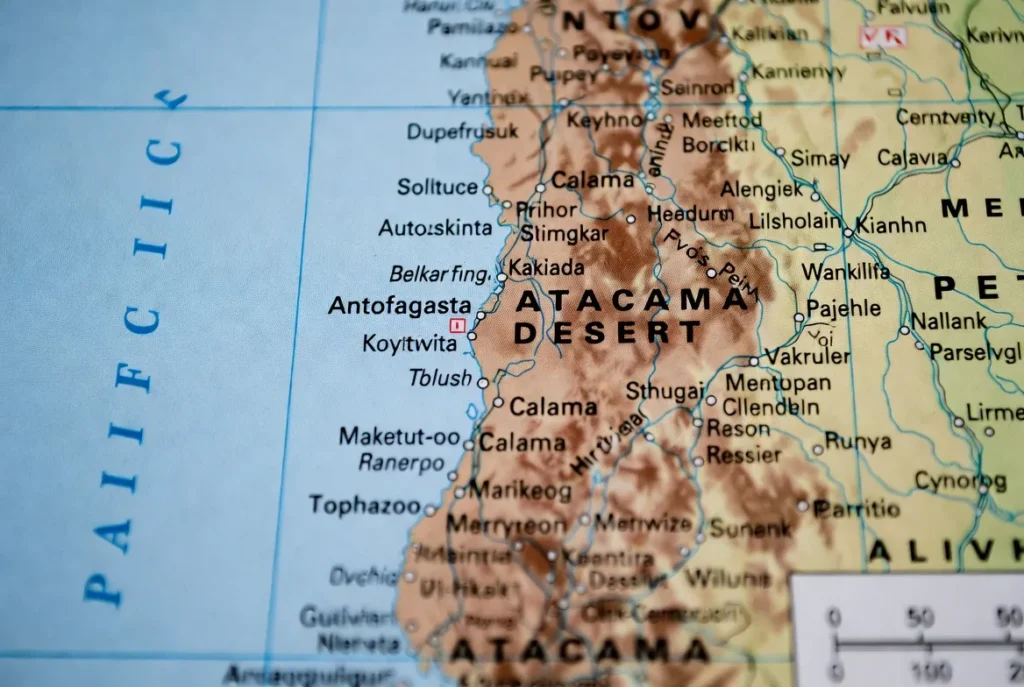
Geographical scope (entity recognition): The Atacama stretches along northern Chile, spanning the Antofagasta and Atacama Regions, with peripheral influence into Coquimbo primarily. Recognize these named entities as the main administrative units to reference in metadata and downloads.
Gateway & hub (anchor tokens): Calama–El Loa Airport (CJC) is the regional aviation gateway; San Pedro de Atacama is the primary base town for tourists and field operations.
Climate (temporal metadata): The Atacama ranges from hyper-arid coastal and valley zones to cold high-altitude plateaus. Expect large diurnal temperature variance: hot, sun-drenched days, and very cold nights—especially at pre-dawn El Tatio and high-altitude lagunas.
Why maps matter (operational semantics): Many roads are unpaved or narrow; cell coverage is intermittent. High-quality, versioned GeoJSON and printed maps reduce risk: they act as a canonical ground truth for navigation, emergency routing, and conservation-aware routing.
Interactive Atacama map — best layers and POIs
When building an interactive Atacama map (Mapbox, Leaflet, Google My Maps), organize your layer stack with the same rigor NLP practitioners use for layered models: separate lexical layers (roads), semantic layers (POI types), and contextual layers (light pollution, elevation).
Essential layers to include
- Roads — vector layer with attributes: surface_type (paved/gravel/sandy), recommended_vehicle (standard/4×4), difficulty_score (1–5).
- POIs — Valle de la Luna, El Tatio, Salar de Atacama (Chaxa), Miscanti & Miñiques, Piedras Rojas, Toconao, Puritama. Each POI should include: short description (50–120 chars), coordinates (lat, long), elevation (m), and a vehicle/access note.
- Elevation/contours — polygon/contour tiles for route planning and to infer acclimatization risk.
- Light pollution / VIIRS overlay — raster tile with opacity control for stargazing planning.
- Fuel stops / services — point layer with opening_hours and fuel_types attributes.
- Phone signal — rough coverage polygons or points annotated with carrier-level notes (where available).
- Trailheads & parking — icons for safe pull-outs with capacity notes.
For each POI, include data fields that read like structured metadata: id, name, category, elevation_m, lat, lon, vehicle_recommendation, notes, download_gpx_url, and last_updated.
For each POI, include:
- Short description (1–2 lines).
- Coordinates (latitude, longitude).
- “Download GPX” single-POI export button or link.
- Difficulty or vehicle note (standard car, high-clearance, 4×4).
This consistent schema lets both humans and machines ingest the pack predictably (easy to parse into an app or a GIS).
Downloadable map pack
Why include multiple files?
Different user agents prefer different artifacts: a driver needs a printed A4; a field botanist wants GPX with elevation; a data developer wants canonical GeoJSON for Programmatic derivation. Maintain a canonical GeoJSON source to generate derivative formats (GPX/KML/PDF) to ensure consistency. Version the canonical file (e.g., Atacama_geojson_v1.4.json) and add version, date_published, and sha256 fields.
Example pack contents — Atacama_map_pack_v1.zip
- road_map_A4.pdf — A4, high-contrast roads + legend + lat/long grid.
- attractions_map_A4.pdf — San Pedro zoom with walking routes and QR code for Day1 GPX.
- stargazing_map_A2.pdf — light-pollution overlay + six prime coordinates + a small finder chart.
- Atacama_v1.gpx — main loop track + POIs (Calama → San Pedro → Valle de la Luna → El Tatio → Salar).
- Atacama_v1.kml — for Google Earth and visual inspection.
- Atacama_geojson.json — canonical source for all layers and attributes.
- README.txt — version, file sizes, SHA256 checksums, changelog, contact for corrections.
Metadata recommendation: in every file, include an embedded properties section describing version, source, last_updated, author_contact, and license (e.g., CC BY-NC or permissive mapping license).
Printable maps: road map, stargazing map, top attractions
Printable maps are the single most practical survival artifact. When the signal goes, a properly designed print will keep you safe.
Road Map
- Use high-contrast lines and a readable typeface.
- Show fuel stops, conservative distances, and elevation annotations.
- Include a small “how to read this map” panel with UTM grid and compass rose.
Attractions Map
- Show San Pedro and environs, with walking loops, short trail icons, and distances.
- Add a QR code linking to the Day 1 GPX.
- Indicate parking capacity per lot and average walking times.
Stargazing Poster
- Light pollution overlay with VIIRS transparency.
- Six prime coordinates (with short parking and safety notes), e.g., coordinate, recommended parking pullout, road surface, and minimal light avoidance rules.
- Include a small seasonal finder chart (e.g., Orion / Scorpius visibility months).
- Add a QR to download the stargazing GPX.
Design tip: single solid color for paved roads and dashed for unpaved; add a UTM grid for precision and a compass rose. Keep legend density manageable for quick reference while driving.
Driving distances & conservative travel times
Create a small, machine-readable table and a human-readable table. Below is a conservative, practical matrix.
Driving distance & time table
| From → To | Distance (km) | Typical Drive Time* | Road surface | Notes |
| Calama → San Pedro de Atacama | 100–110 km | 1 hr 15–2 hr | Mostly paved (CH-23) | Airport at Calama; fuel in Calama recommended |
| San Pedro → Valle de la Luna | 13–18 km | 20–40 min | Mostly gravel | Entrance fee and control gate are possible |
| San Pedro → El Tatio Geysers | 90–110 km | 1.5–3 hr | Paved + gravel | Pre-dawn trips recommended; very cold |
| San Pedro → Salar de Atacama (Chaxa) | 45–60 km | 45–80 min | Paved / gravel | Flamingo sightings; short trails |
| San Pedro → Miscanti & Miñiques | 120–150 km | 2.5–4 hr | High-altitude gravel | Requires acclimatization |
*Times are conservative. Add buffer for acclimatization, photo stops, and road quality.
Notes on modeling times: treat driving time as an uncertain variable; use a conservative quantile (e.g., 75th percentile) to avoid risky tight itineraries. For route planning algorithms, factor in elevation gain, surface condition penalties, and daylight window constraints.
1–7 day map-based itineraries
Each itinerary below is oriented around a map-first workflow: I provide a short narrative, a daily route description, approximate km, critical POIs, and recommended GPX segment names. Every itinerary should have a downloadable GPX per day and a master GPX.
1-Day Quick Primer
Route: San Pedro → Valle de la Luna (sunset) → Duna Mayor viewpoint.
Distance: ~50–80 km total.
Tips: Arrive 90 minutes before sunset for parking and ideal light. Use the attractions map for walking loops. GPX: 1day_quick_sanp_to_valle.gpx.
2-Day Classic
Day 1: Valle de la Luna + short hikes.
Day 2: Pre-dawn El Tatio → Puritama Hot Springs → Chaxa lagoon.
Total km: ~300–450 km combined.
GPX files: 2day_day1.gpx, 2day_day2.gpx.
3-Day Exploration
1: Acclimatization, town walk, Museo del Meteorito, evening stargazing.
2: El Tatio morning → Laguna Miscanti & Miñiques.
3: Salar de Atacama (Chaxa) → Toconao → Piedra de la Cuarcita sunset.
Map tips: include elevation profiles in GPX to plan pre-dawn start windows.
4–7 Day Options
Longer loops include high-plateau circuits visiting Lagunas Altiplánicas, Piedras Rojas, and overnighting near high lakes for birding. For multi-day routes, provide daily GPX segments plus a master loop for multi-day tracking and integration with tracking/campsite management software.
Stargazing layers & best nights — map of dark-sky sites
The Atacama is a globally important dark-sky region. Use light pollution rasters and combine with meteorological cloud-climatology to produce a “visibility probability” overlay.
What to include in the stargazing layer
- VIIRS / World Atlas light pollution tiles as transparent overlays.
- Six prime coordinates with parking and safety annotations (each downloadable as a POI GPX).
- Seasonality metadata (April–November often drier; but real-time weather matters).
- Safety layer indicating narrow roads or official pullouts.
- QR on the A2 poster to download the stargazing GPX.
Safety tip: Avoid parking on narrow roads at night. Bring reflective vests, hazard triangles, and good headlamps.
How to use the maps
This is a step-by-step, app-oriented operations manual. Treat each app as a consumer of the canonical GeoJSON and provide app-specific snippets.
GPX import
Gaia GPS / OsmAnd
- Copy Atacama_v1.gpx to your phone or a cloud folder.
- Open the app → Import GPX → Assign to a local folder → Save for offline use.
- For tracks, enable Follow Track and ensure elevation/turn notifications are on.
- Use offline tile caching for the route bounding boxes (San Pedro, El Tatio, Salar).
Google My Maps
- Open Google My Maps on desktop.
- Upload the KML file → Save.
- Open on phone via the Google Maps app or share a link to the map.
iPhone / Apple Maps:
- Apple Maps lacks native GPX import; use third-party apps like GPX Viewer or GPX Master to view and overlay GPX.
Offline tiles
- Pre-download tiles for San Pedro, El Tatio, Salar de Atacama, and any high-plateau roads you plan to travel.
- Cache both base map imagery and the POI overlay layer (if your app supports offline vector layers).
- Verify cache integrity before leaving cell coverage.
Battery & gear tip
- Cold and high altitude reduce battery capacity. Bring a 20,000 mAh power bank, in-car USB-C charger, and spare cables.
- Consider solar-charging patches for multi-day remote loops.
Safety, permits & local rules
Safety is a layer that must be elevated to the top of your map legend. Include emergency numbers and permit URLs in the README and on the printable map.
Altitude
- San Pedro sits at ~2,400 m; included attractions range up to ~4,200 m (El Tatio) and higher for plateau lagoons.
- Ascend gradually, hydrate, and be aware of acute mountain sickness symptoms. Include altitude callouts on your printable maps: elevation_m as a visible label on POIs.
Roads & vehicles
- Standard cars can access Valle de la Luna and most tourist circuits.
- High-plateau tracks (Piedras Rojas, Miscanti) often require a 4×4. Mark these routes with vehicle_recommendation: “4×4” in GeoJSON properties.
- Always carry a spare tire, repair kit, recovery straps, and extra water.
Permits and protected areas
- Some reserves have entry fees or require permits. Link to official park pages in the README and include an access_restriction field for POIs.
- Update the dataset seasonally for bloom events or temporary closures.
Weather & closures
- Rain is rare but can close roads, especially sandy/gravel tracks. Flag any roads prone to washouts in the roads layer and add revision date metadata.
Practical pack list
- Sunscreen SPF 50+, sunglasses, a wide-brim hat, water (≥ 3 L per person for day trips), warm layers, a headlamp, a basic first aid kit, and a personal locator beacon if venturing off primary roads.
Flora & Fauna
Although extremely arid, the Atacama supports specialized life forms. Build a biodiversity POI layer to log sensitive habitats—especially salt-flat lagoons and rare bloom zones—and mark them conservation: true.
Flora
- Drought-adapted shrubs and intermittent desert blooms following rainfall. Mark bloom-sensitive polygons as stay_on_trail = true.
Fauna
- Flamingos in Salar de Atacama (Chaxa) are specialized altiplano birds, and small mammals adapted to extreme cold. For birding, loops provide coordinates and approximate seasonal windows.
Conservation note: If you encounter rare bloom carpets, remain on designated trails. The map pack should include clear instructions to avoid trampling fragile flora.
Human history and cultures
San Pedro de Atacama is a living cultural node: an oasis town with pre-Hispanic sites, small museums (e.g., Museo del Meteorito), and craft markets. Include an ethnography POI layer with brief contextual metadata, suggested respectful behavior, and links to local cultural centers.
Landscape features
Provide dedicated symbology and a legend entry for each landscape feature:
- Salt flats (salares): show driven routes, lagoon viewing points, and birdwatching areas.
- Geysers (El Tatio): map parking, short trails, and safety buffer zones.
- Valleys & canyons (Valle de la Luna): mark walking loops, sunset viewpoints, and difficulty levels.
- High-altitude lagunas: annotate with altitude and acclimatization notes.
Each feature should include access difficulty and recommended visit times. Give data attributes like fragility_index for ecological sensitivity.
Survival tips and challenges
Compact survival advice that should be printed on the road-map flank:
- Carry additional water beyond calculators—desert conditions are conservative and changeable.
- Never take off-road shortcuts without local experience.
- Tell someone your intended route and return time.
- Include emergency telephone numbers and coordinates for the nearest medical facility on printed maps; update yearly.
Tourism: attractions, activities, and travel tips
Top activities to map and supply GPX for:
- Sunset tours to Valle de la Luna: controlled access—add entry window times.
- Pre-dawn El Tatio geyser trips: extremely cold; plan clothing and start times.
- High-altitude lagunas for birdwatching typically require acclimatization and/or guides for safer access.
- Stargazing tours: annotate operator meeting points and dark-sky coordinates.
- Photography routes: highlight golden-hour vantage points (Piedras Rojas, Salar panoramas).
Booking tip: For high-altitude and plateau trips, prefer vetted operators; for independent travel, consider booking one guided day for orientation.
Interesting facts & conservation
- The Atacama’s hyper-arid zones are used to test Mars instruments.
- Observatories (ALMA et al.) exist on high plateaus; maps should indicate light-suppression zones.
- Mining operations impact local water resources; mark industrial or mining polygons in the pack and avoid sensitive aquifers or protected areas.
- Conservancy advice: during rare bloom years, emphasize trail fidelity and map trails strictly to protect flora.
Comparison of map formats
| Format | Best for | Pros | Cons |
| PDF (A4/A2) | In-car prints, posters | No app needed, quick reference | No turn-by-turn navigation |
| GPX | Navigation apps, offline routing | Turn-by-turn and track following | Requires app & setup |
| KML | Google Earth visuals | Rich visual display | Not ideal for turn-by-turn apps |
| GeoJSON | Developers & Mapbox setups | Single source of truth, easy exports | Not user-friendly for non-devs |
Pros & Cons
Pros
- Offline safety and redundancy.
- Printable backups when the signal is gone.
- Developers can reuse GeoJSON for custom products.
Cons
- Road conditions and permit rules change—files must be versioned and updated.
- High-altitude routes may require vehicles beyond standard rental cars.
- Ecological events (blooms) can temporarily change access rules; maintain a last_checked date on each POI.
FAQs
A: Many classic tourist loops (Valle de la Luna, Chaxa) are accessible by standard cars, but high-plateau tracks (Piedras Rojas, Miscanti) frequently require a 4×4. Consult the vehicle_recommendation property in the GeoJSON or the vehicle note on printed maps before departing.
A: The Atacama Map Pack includes GPX/KML/GeoJSON files for each itinerary. Use Gaia GPS, OsmAnd, or Google My Maps to import. See the “How to use the maps” section above for step-by-step import instructions.
A: The Atacama has exceptional clarity year-round; April–November is often drier with more stable skies. Always check short-term forecasts and cloud-cover models before making a night plan.
A: Printable maps are generated from the same canonical GeoJSON as the GPX and KML exports. However, roads and access rules can change—always check the file version and last_updated timestamp before relying on a printed copy for extended trips.
Conclusion
Download the Map Pack, verify the file version, cache offline tiles, and follow the vehicle, altitude, and safety notes — with those basics covered, you’ll be ready to Explore the Atacama responsibly.